Slooze
A commodities dashboard with role-based access: managers and store keepers sign in to different tools.
One dashboard,two roles.
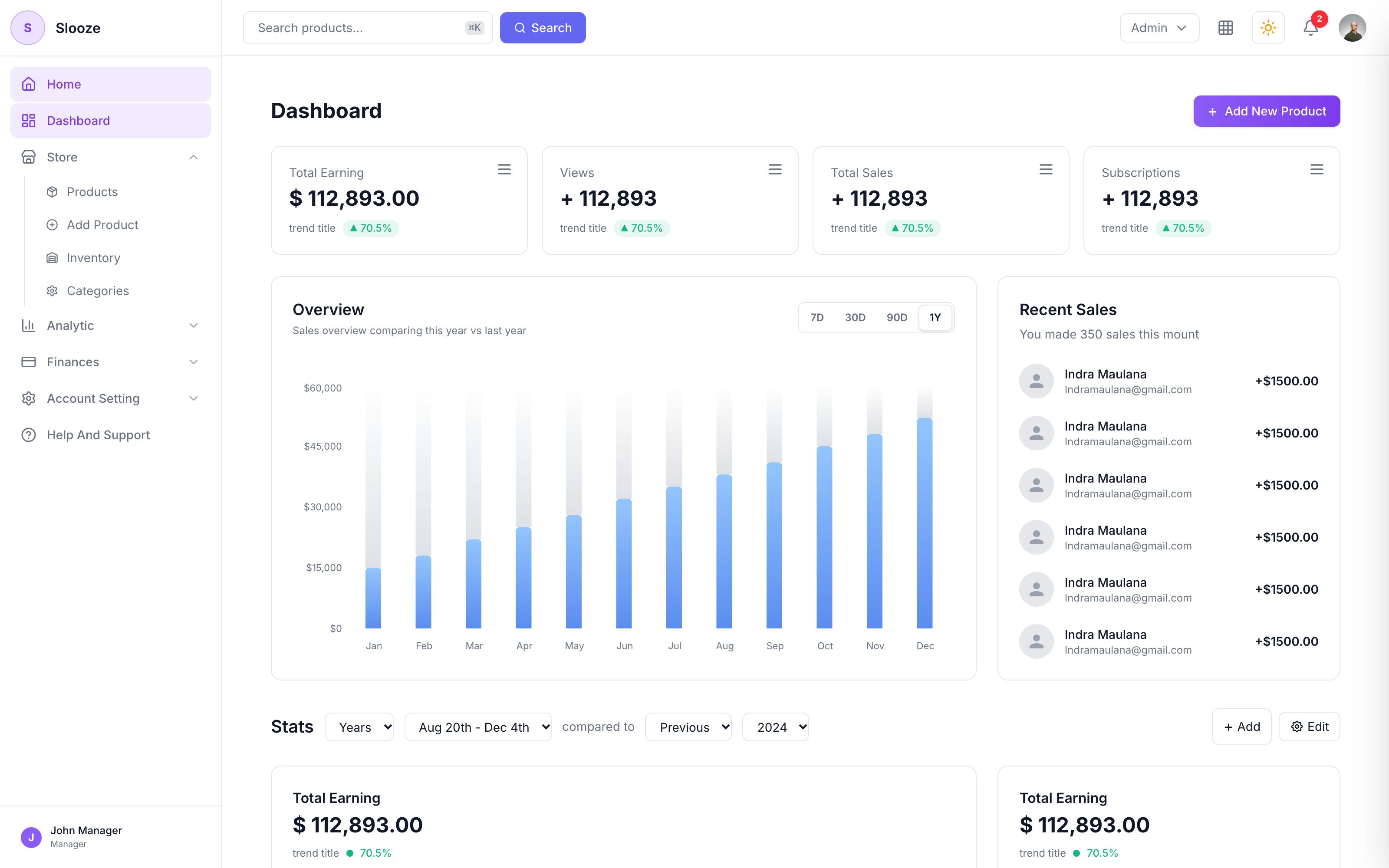
Slooze is a dashboard for managing commodities — products like gold reserves, crude oil and wheat, grouped into Precious Metals, Energy, Industrial Metals and Agriculture. I built it for a Slooze take-home challenge.
There are two roles. A Manager sees everything: the sales dashboard, products, inventory, categories, analytics and finances. A Store Keeper works with products and inventory only. The login page lists a demo account for each role so anyone can try both.
No backend.One codebasefor both roles.
There is no backend — the README says so plainly: “Mock API (no real backend)”. Sign-in, products and categories are mocked in the browser and saved to localStorage. The mock calls wait 300–800 ms before answering, so loading states actually show.
Two roles share one codebase, so every screen has to work for both without forking. On top of that the app has a light and a dark theme, and the README calls the design desktop-first.
Four decisionsabout who sees what.
Decision 1: One sidebar, filtered by role
Both roles get the same navigation component in the same order; the store keeper’s is just shorter. Items a role can’t use are absent instead of disabled, so there are no dead ends to click into.
NoteSidebar.tsx: nav items and their children carry a managerOnly flag; the list is filtered with !item.managerOnly || isManager.
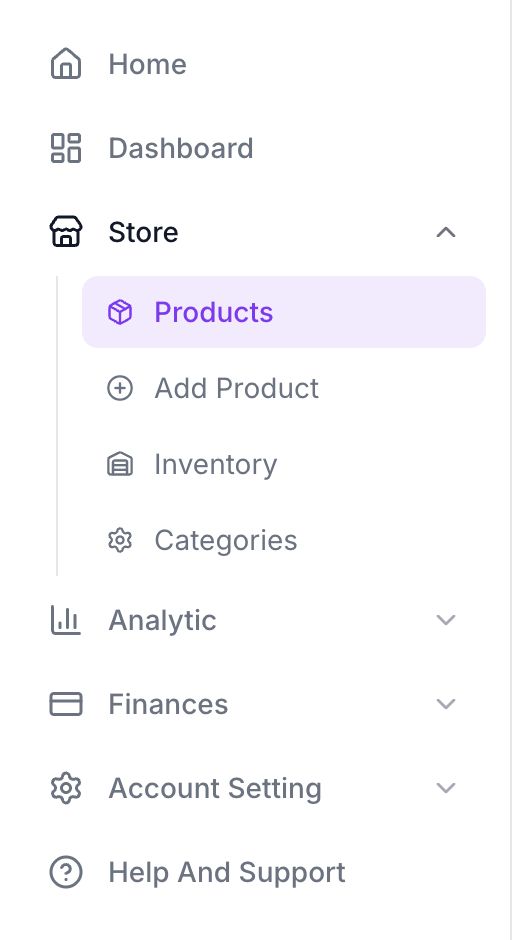
Manager.
- Marker 1: Home and Dashboard: manager only
- Marker 2: Categories: a manager-only child of Store
- Marker 3: Analytic and Finances: manager only
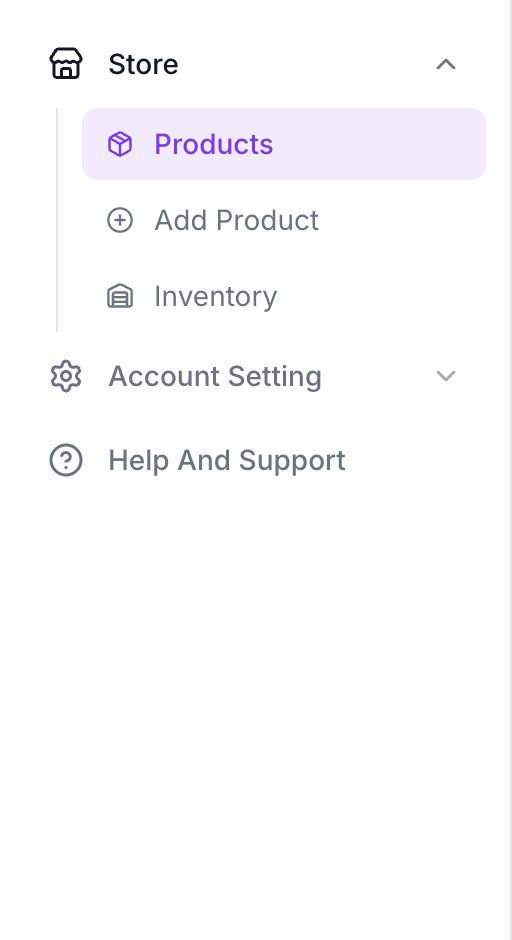
Store keeper — the same component with the manager-only items filtered out.
Decision 2: Permissions checked where the action lives
The permission is asked for by name at the spot where the button would appear, not inferred from the role in each component. A table that asks “can this user delete?” doesn’t need to know what a store keeper is, and adding a role later means changing one permission map.
NoteProductTable.tsx: const canDelete = usePermission('product:delete'). The Delete action and the bulk delete only render when it is true.
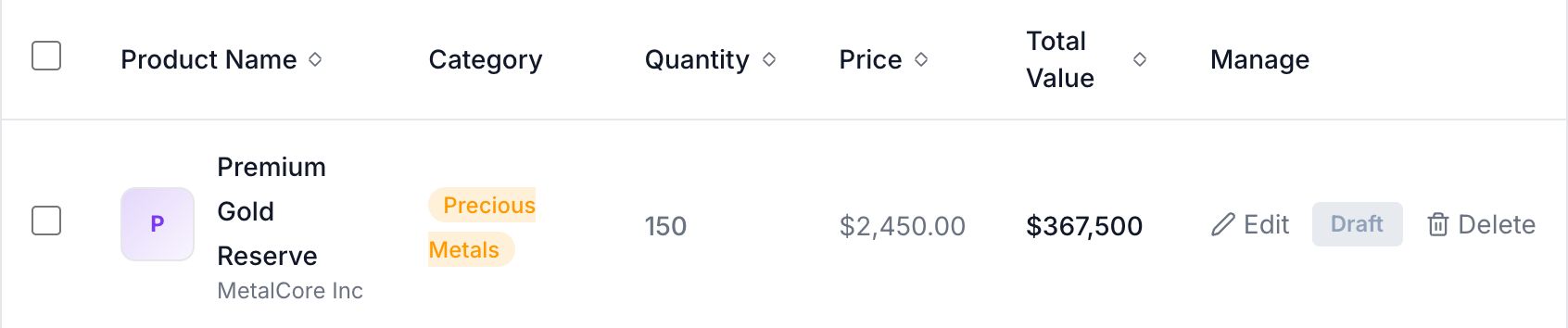
Manager: Edit, Draft, Delete.
- Marker 1: Delete — rendered only with product:delete

Store keeper: Edit, Draft.
Decision 3: Destructive actions ask first, by name
Deleting is the one action in the table that can’t be undone, so it is the one that interrupts. Putting the product’s name in the question means a misclick on the wrong row is caught by reading, not by memory.
NoteConfirmDialog.tsx: danger variant, the product's name in the message, Escape cancels.
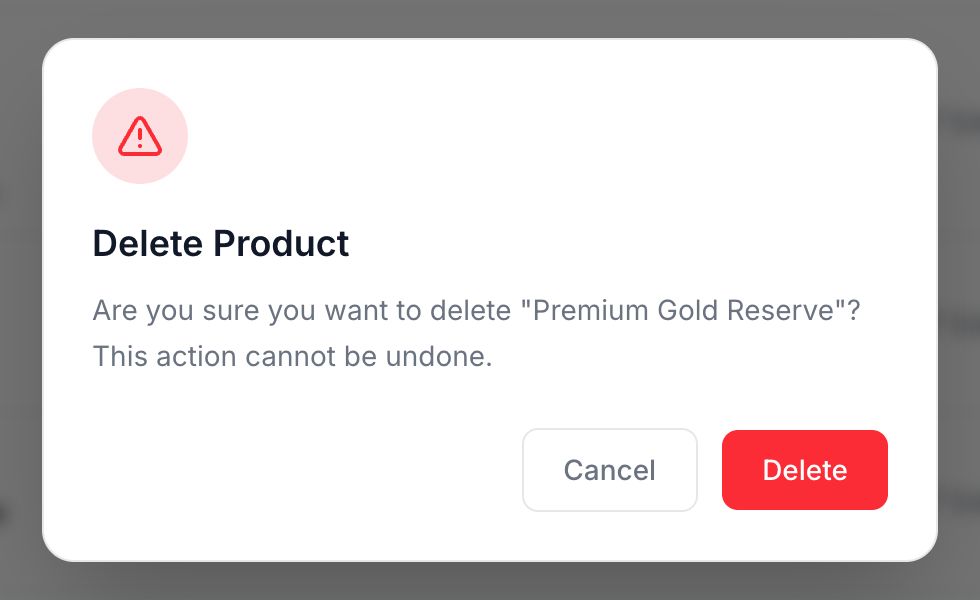
Delete confirmation over the products table.
- Marker 1: Names the product, not 'this item'
- Marker 2: Cancel comes first
- Marker 3: Delete in the danger colour
Decision 4: Each role lands on its own home
A store keeper who signs in never sees a dashboard they aren’t allowed to use, and a manager starts on the overview. The demo accounts on the login page make the role split something a reviewer can check in a minute.
Noteapp/page.tsx: managers go to /dashboard, store keepers to /products. The dashboard page sends anyone who isn't a manager to /products.
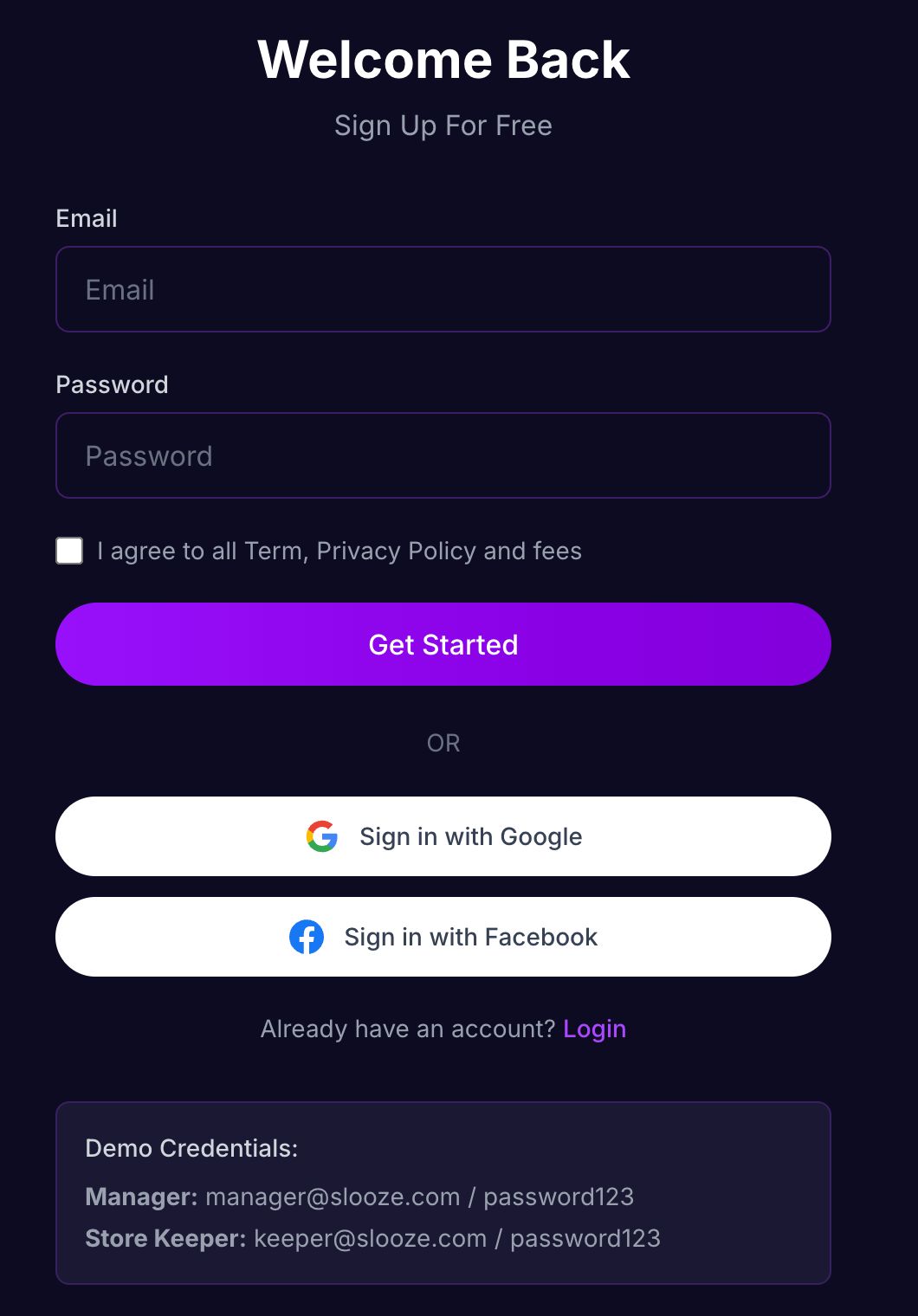
Login page.
- Marker 1: Demo credentials for both roles
Mocked, but shapedfor a real backend.
Next.js App Router with client components throughout. AuthContext holds the user, restores the session from localStorage on mount, and checks credentials against two mock users. lib/api.ts is already shaped for a real backend: an Axios instance adds the bearer token to every request and, on a 401, clears the session and returns to /login. The product, dashboard and category calls behind it are mocks that read and write localStorage.
Shared types live in src/types — Product, UserRole, and a Permission union like "product:delete" or "finances:view". The hook checks a request against a MANAGER_ONLY list of seven permissions (creating and deleting products, the dashboard, analytics, finances, activity and categories):
export function usePermission(permission: Permission): boolean {
  const { user } = useAuth();

  if (!user) return false;
  if (user.role === "manager") return true;

  // store_keeper cannot do manager-only actions
  if (MANAGER_ONLY.includes(permission)) return false;

  return true;
}
The products table handles published/draft tabs, sorting by name, quantity, price and total value, row selection with bulk delete, and pages of eight. The repo’s latest code adds category filter chips and a grouped-by-category view, which the deployed build doesn’t show yet. Charts use Recharts. ThemeContext reads a saved theme or falls back to prefers-color-scheme.
What I’dchange next.
One source of truth for permissions
The sidebar reads its own managerOnly flags while the table asks usePermission, and the two differ: a store keeper sees “Add Product” in the sidebar and an “Add New Product” button, while product:create is manager-only in the hook. Next: the sidebar asks the hook too.
Route guards before render
Pages redirect in a useEffect after they mount, and the mock passwords ship in the client bundle. Next, with a real backend: the session check moves into middleware or onto the server.
Theme set before first paint
The theme provider renders nothing until it has read localStorage, which blanks the whole app for a frame. Next: an inline script that sets the theme class before paint.
Real-looking seed data
The live dashboard still shows template placeholders: “trend title” under every metric and the same customer repeated in Recent Sales. Next: seed data that reads like a real store.